
Over 244+ Million Websites use PHP.
PHP (‘Personal Home Page’ is the original name of PHP), Well doesn’t it seem too old already, but believe it or not the world’s top websites, like Facebook, Google, Wikipedia, and YouTube, are using PHP scripts at the backend. PHP is helpful in developing dynamic websites. It is a server-side scripting language that sends information directly to the server when a user submits a form.
Before going towards the step-by-step guide on how to write PHP scripts, I will give you a general overview of PHP.
PHP is an open-source, server-side general scripting language that can be learned easily, and if one is from a coding background, he (or she) will find it very simple. This is why many are using PHP to polish up their entry-level coding skills.
PHP runs on different operating systems, like Windows, UNIX, Linux and supports different databases like MySQL, Microsoft Access, and Oracle. PHP can not only collect form data, but it can also create, read, write, delete, and close files on the server.
It can be easily embedded in HTML. PHP code is embedded in HTML with tags <?php ?>.
| <html> | |
| <title>Starting with PHP</title> | |
| <body> | |
| <?php | |
| echo”Your first PHP code”; | |
| ?> | |
| </body> | |
| </html> |
Applications of PHP Scripts
Let us see how many ways PHP scripting is used.
- Server-Side Scripting
Server-side scripting is the first purpose of PHP. All you need to start working on a desktop PC with PHP is a PHP Parser, a webserver (such as Apache) and a web browser like Google Chrome.
2. Command Line Scripting
If you want to use PHP on Linux or task scheduler on Windows, then you don’t need a web server, but only a PHP Parser. This is called “command line scripting”.
3. Desktop Applications
Although PHP is not a suitable language for the development of desktop applications, it supports some advanced features like PHP-GTK which is an extension of PHP. PHP-GTK provides an object-oriented user interface.
PHP enables you to choose not only the operating system of your choice but also allows you to have choices to use a web server that you are familiar with. It also enables beginners and professionals to write scripts in their ways as it allows procedural as well as object-oriented programming.
Pre-requisites of PHP
Before you start learning PHP, you need to learn some basics of HTML (Hypertext Markup Language), SS(Cascading Style Sheets) and Javascript.
How to install PHP
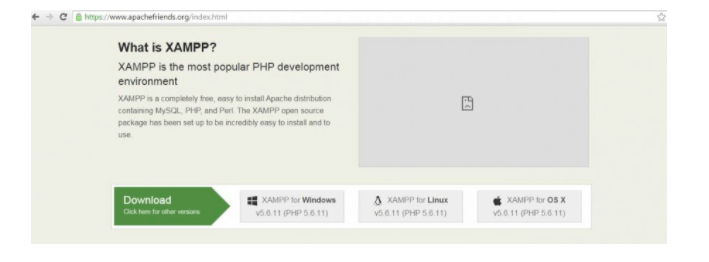
Before starting PHP, you need a web host with PHP and MYSQL. For this, you should also install a web server such as Apache. To do it locally on your PC, you may download XAMPP directly from Apache Friends.
Installation of Apache, PHP, MySQL, and PHPMyAdmin
To install PHP, MySQL, PHPMyAdmin and Apache in a single attempt, XAMPP should be installed.
Scroll over to XAMPP for Windows and download should begin shortly.
Click the .exe file to start the installation procedure.
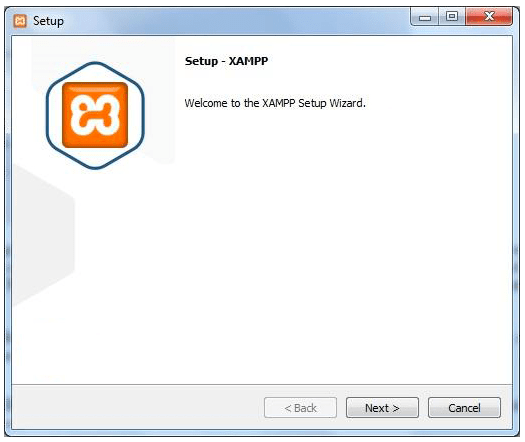
Select the components which you want to install and click “Next”.
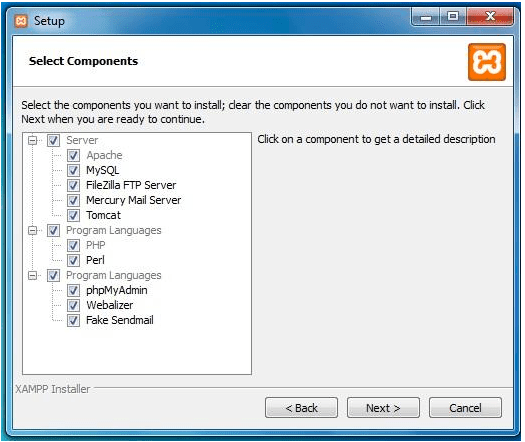
You need to install Apache, which is a very famous web server. It manages client responses. For data storage and view, you need a database such as MySQL. Filezilla FTP server option is not needed for performing operations at localhost. Next option is the Mercury Mail Server option. Its primary function is to deal with emails received by the server. It is needed to enable the flow of emails, which is not a requirement at the moment.
Coming down to programming languages, PERL (which is also a high-level programming language) is not a need at the moment. PhpMyAdmin is the admin panel of database and is needed. Webalizer is an application for analysis and you need to install it for monitoring purposes. Fake Sendmail is also an application that will be explained later.
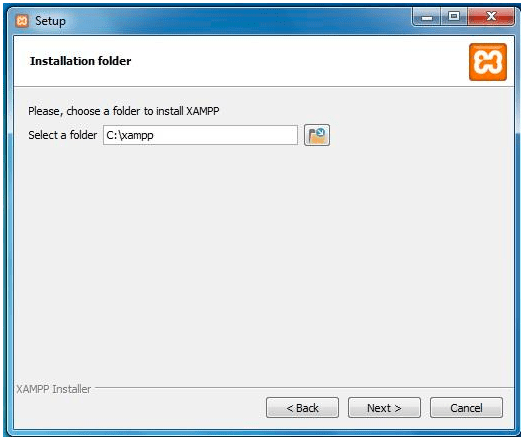
Select your desired location, where you want to install XAMPP and then click “Next”.
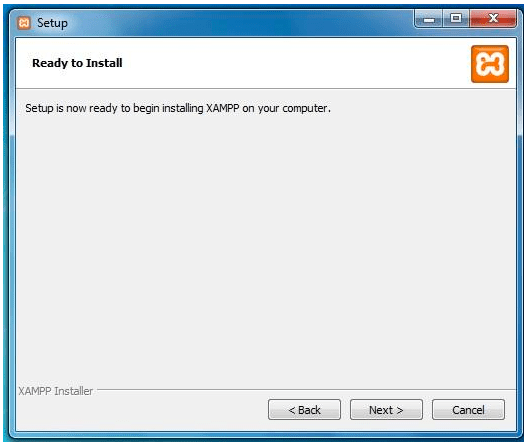
Click “Next” on the coming screens to proceed with the installation process.
Now, you will see the final screen. I would suggest that you keep the “start the Control Panel” option checked. Click “Finish” to complete the installation process. A new window will open shortly.
The XAMPP Control Panel has now started. Now, click “Start” button in Apache and MySQL rows to begin.
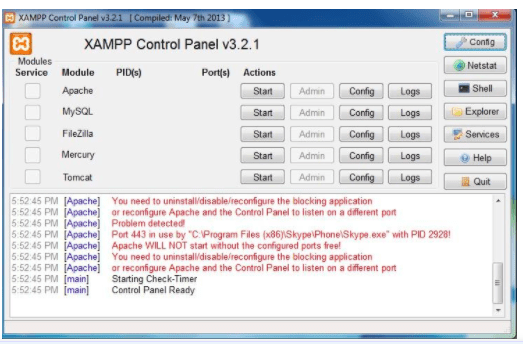
You are now ready to start writing the code. Now all you need is an editor like Brackets or Dreamweaver to write the code.
| <?php | |
| echo “My first PHP Script”; | |
| ?> |
Now, save the page as “test.php” in htdocs folder and click “Save” button.
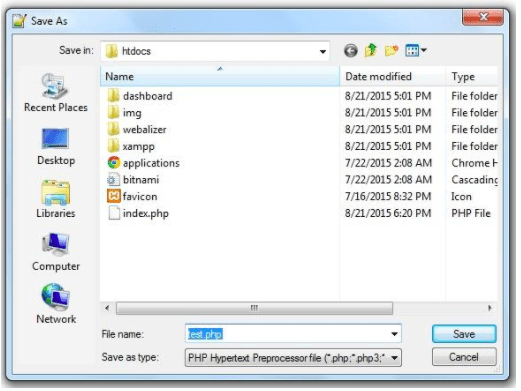
Now, open a web browser and type localhost in the address bar. It will automatically open the index file but if you type localhost/test.php, it will open the page that we have saved.
Consider another example.
| <!DOCTYPE html> | |
| <html> | |
| <head> | |
| <title>Getting Started With PHP</title> | |
| </head> | |
| <body> | |
| <h1>Beginners Guide For PHP</h1> | |
| <p>Tutorial Series For Learning PHP</p> | |
| <?php | |
| echo “2+3″.”<br/>”;//It will display the output 2+3 | |
| print “2+3”;// print will also display the output 2+3 | |
| ?> | |
| </body> | |
| </html> |
In this example, we use echo and print to show the same result.
You can see that the two lines of 2+3 are displayed as output by using different statements. Most of the professional programmers prefer to use echo because echo can bring up multiple strings or values at the same time, whereas print displays one statement at a time. Both echo and print can be used with or without parentheses; print() or echo(). Also, it is to be noticed that you can not see the sum of two numbers without using variables.
For now, Congratulations! You have just executed your very first PHP script!
Ciaó
Cogitare Et Credere
Co-Authored by-
Kartik Kathuria
B.Tech CSE IIT Mandi
GSoC’ 2020 @CivicCRM
 TᗯIᑎ ᖇEᗩᒪITY